
Registering an Account on domain.uzex.uz
ℹ Information
To participate in auctions for released domain names, you must register an account on the domain.uzex.uz website. Registration is available for both individuals and legal entities.
01
Open the Registration PageGo to the domain.uzex.uz website.
In the upper-right corner, click Account, then select Registration.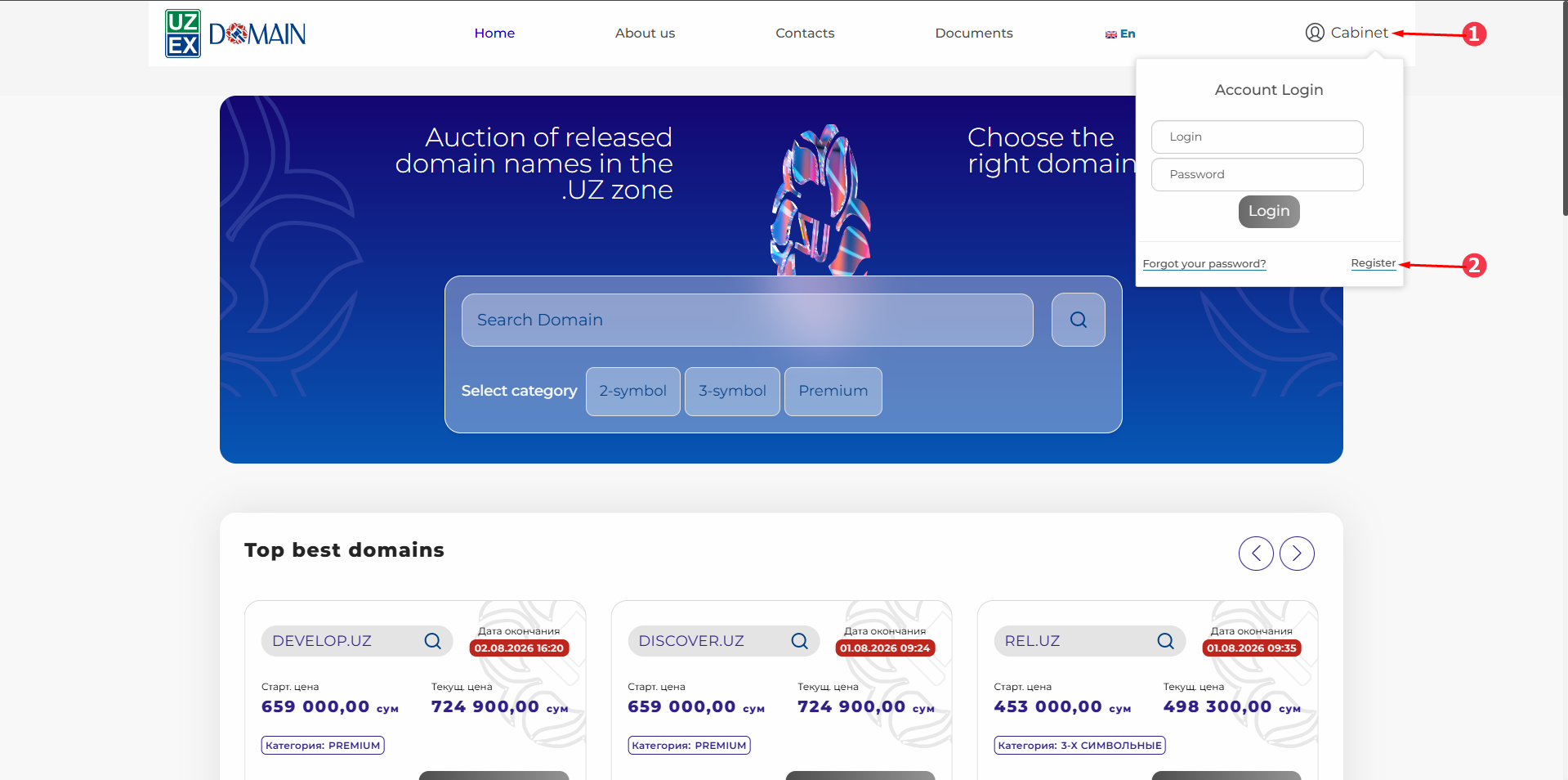
To begin the registration process, open the Registration section from the Account menu.
02
Registering as an IndividualSelect the Individual tab and complete the registration form.
- Select the Individual tab.
- Enter your login (mobile phone number).
- Enter your email address.
- Complete the reCAPTCHA verification.
- Create a password.
- Confirm the password.
- Enter your passport series and number.
- Enter your PINFL (Personal Identification Number of an Individual).
After completing the verification, click Send Code, then finish filling out the registration form.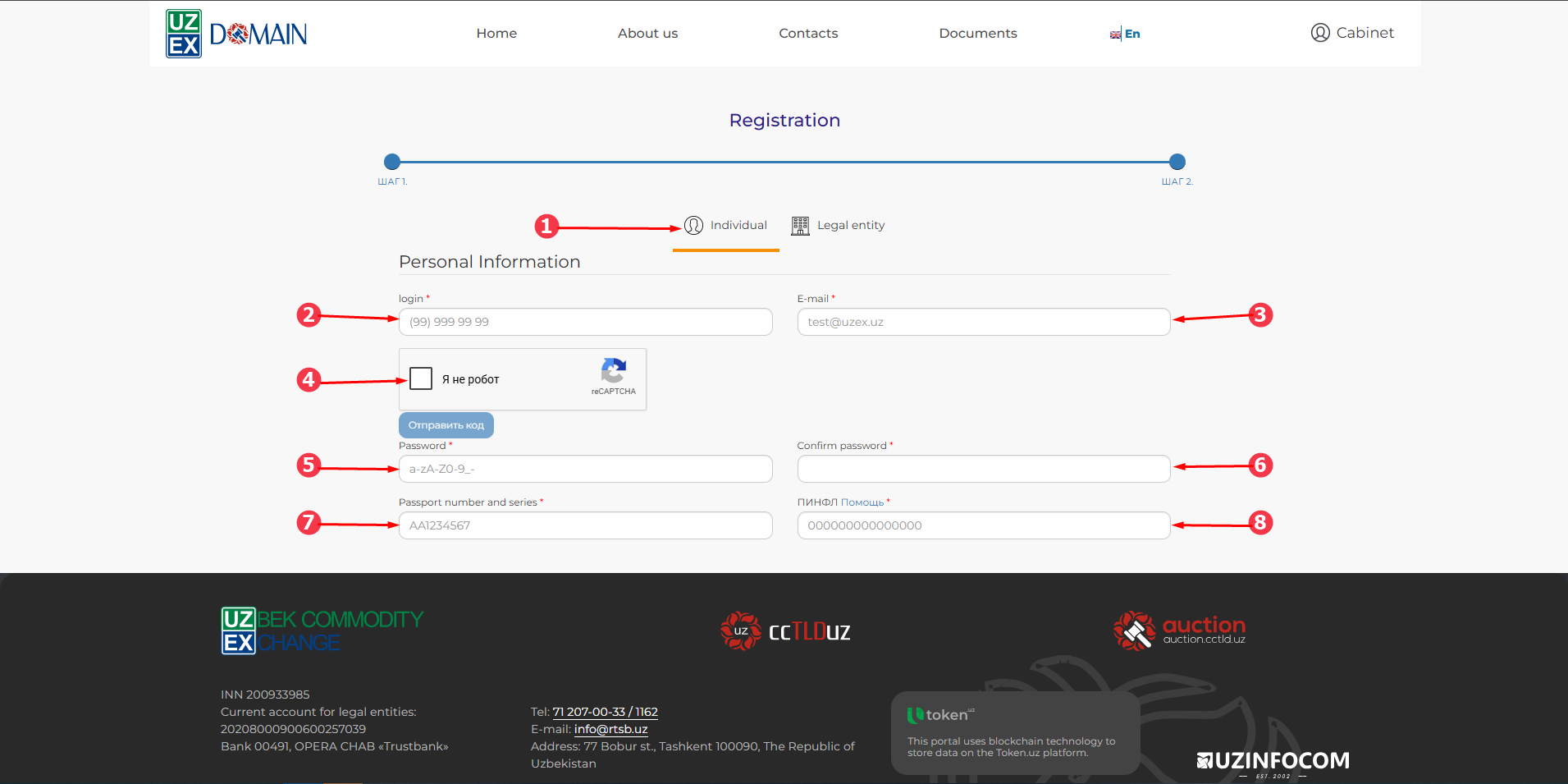
All fields marked with * are required.
03
Registering as a Legal EntityTo register an organization, switch to the Legal Entity tab.
- Select the Legal Entity tab.
- Enter your email address.
- Confirm your password.
- Enter the organization name.
- Select the district.
- Enter your login (mobile phone number).
- Complete the reCAPTCHA verification.
- Create a password.
- Enter the organization's TIN.
- Select the region.
- Enter the legal address.
- Confirm that you have read and accepted the Offer terms.
- Click the Submit button.
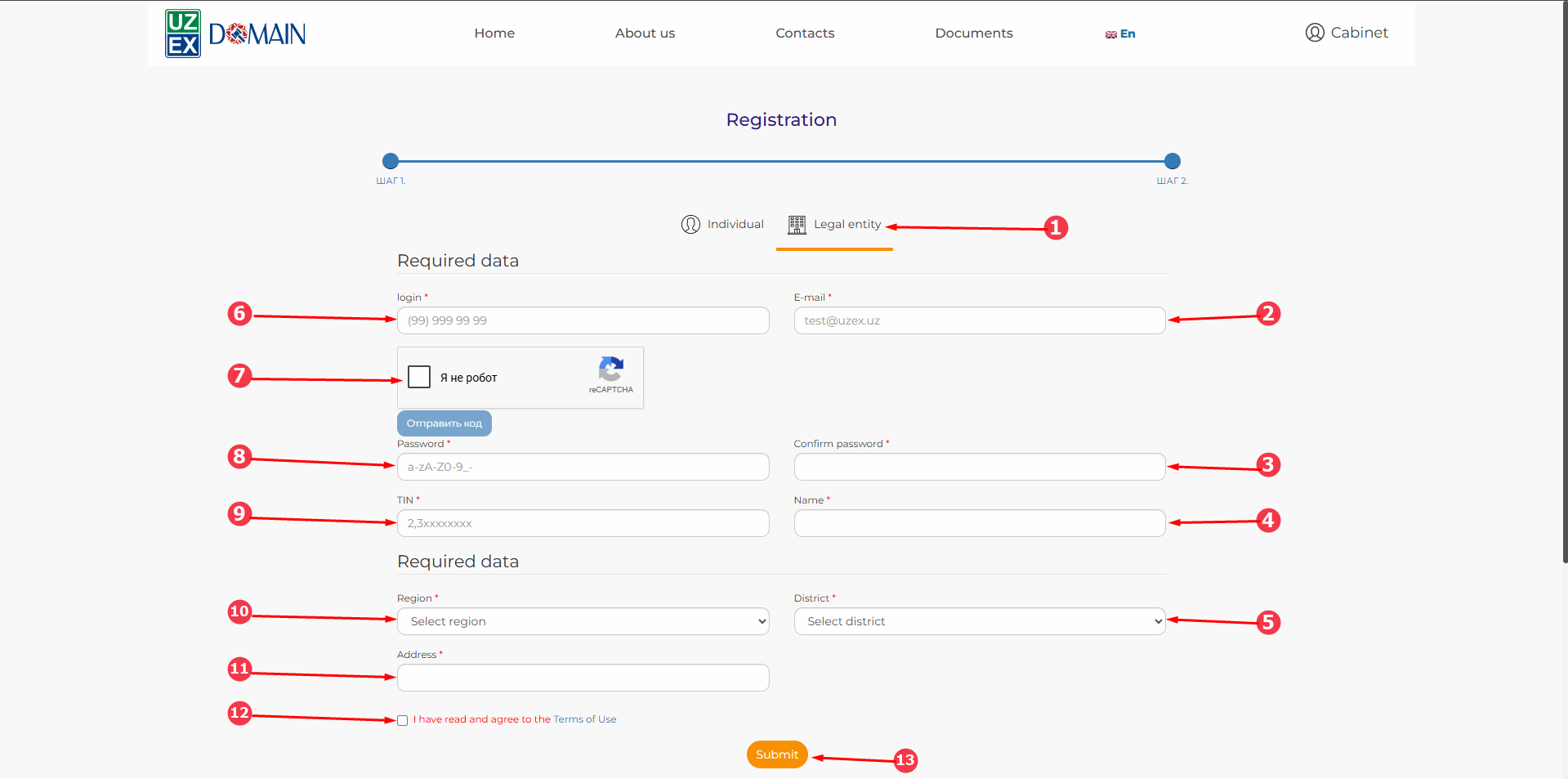
Before submitting the form, make sure that all required fields are completed correctly and that you have confirmed your acceptance of the Public Offer terms.
✓ Completed
After successful registration, you will be able to sign in to your domain.uzex.uz account and participate in electronic domain name auctions.
```