
Receiving a Domain Name After Winning an Auction
After winning an auction, you must pay for the winning lot and submit a request to add the domain name to your lots.uz account.
After the auction has ended, sign in to your domain.uzex.uz account and open the My Deals section.
Find the winning lot and click the Pay button.
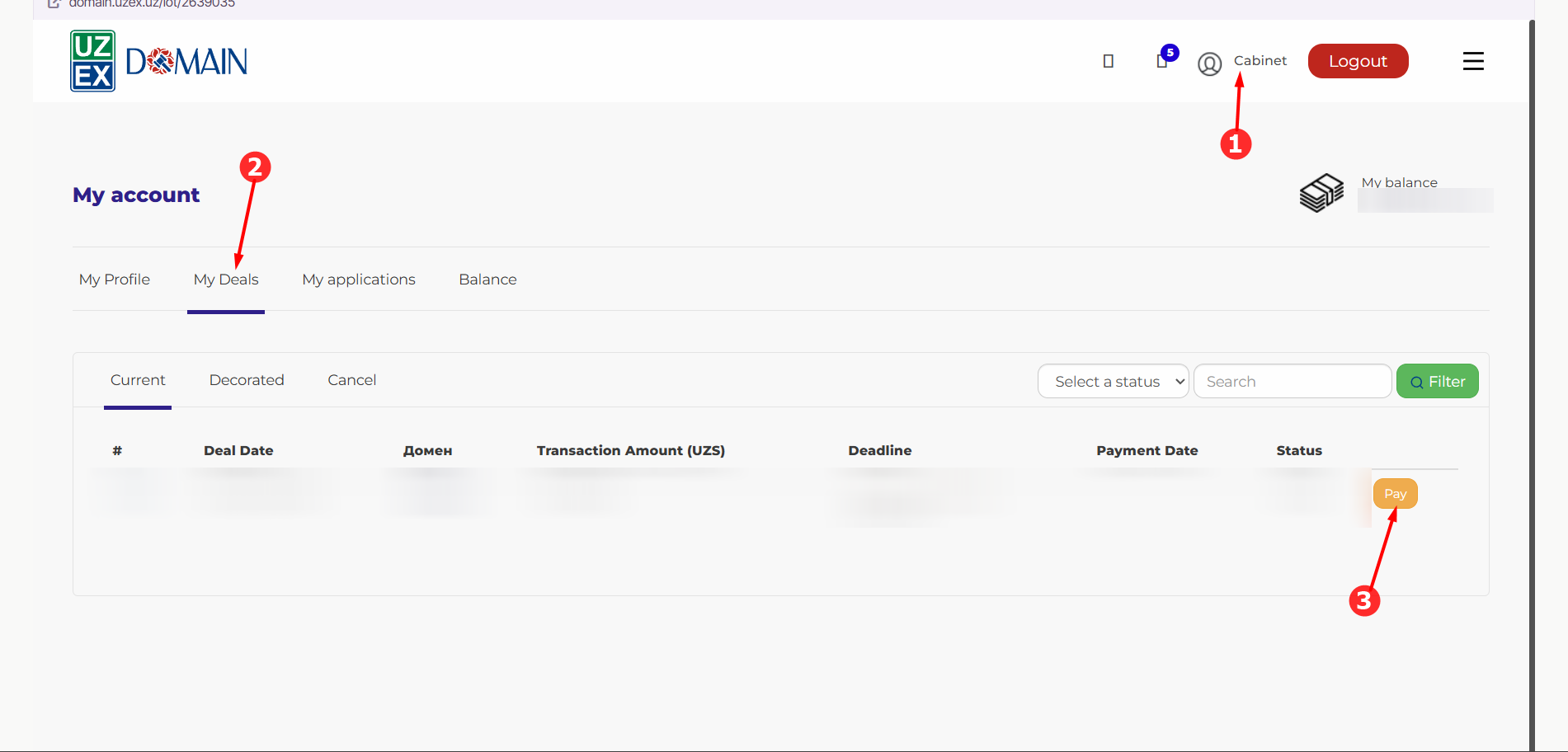
On the payment page, verify the amount and confirm the payment.
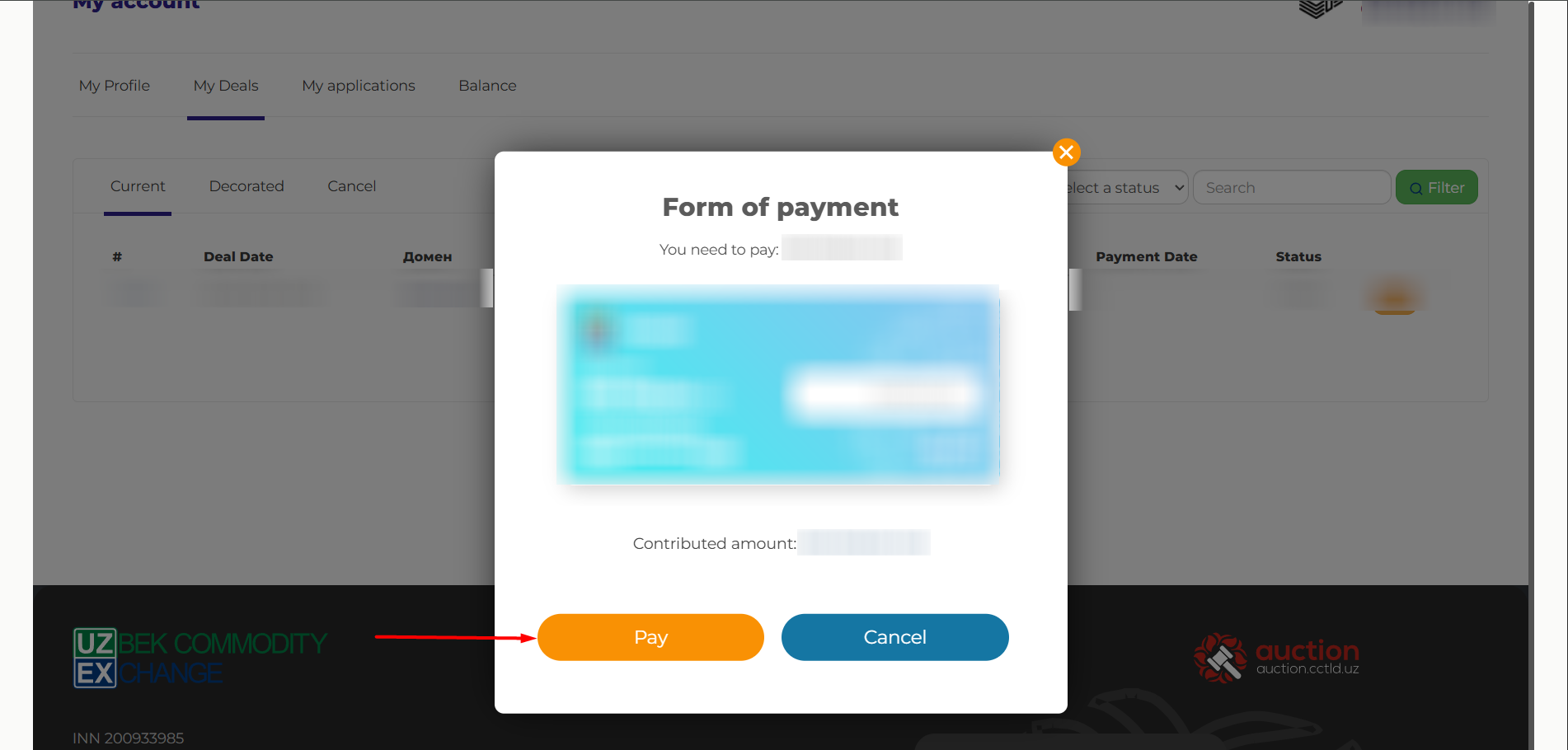
Once the payment has been successfully completed, you can proceed with adding the domain name to your lots.uz account.
Return to the page of the winning lot on lots.uz.
After the auction is completed, the "I won this lot, please add it to my account" button will become available.
Click this button to create a request.
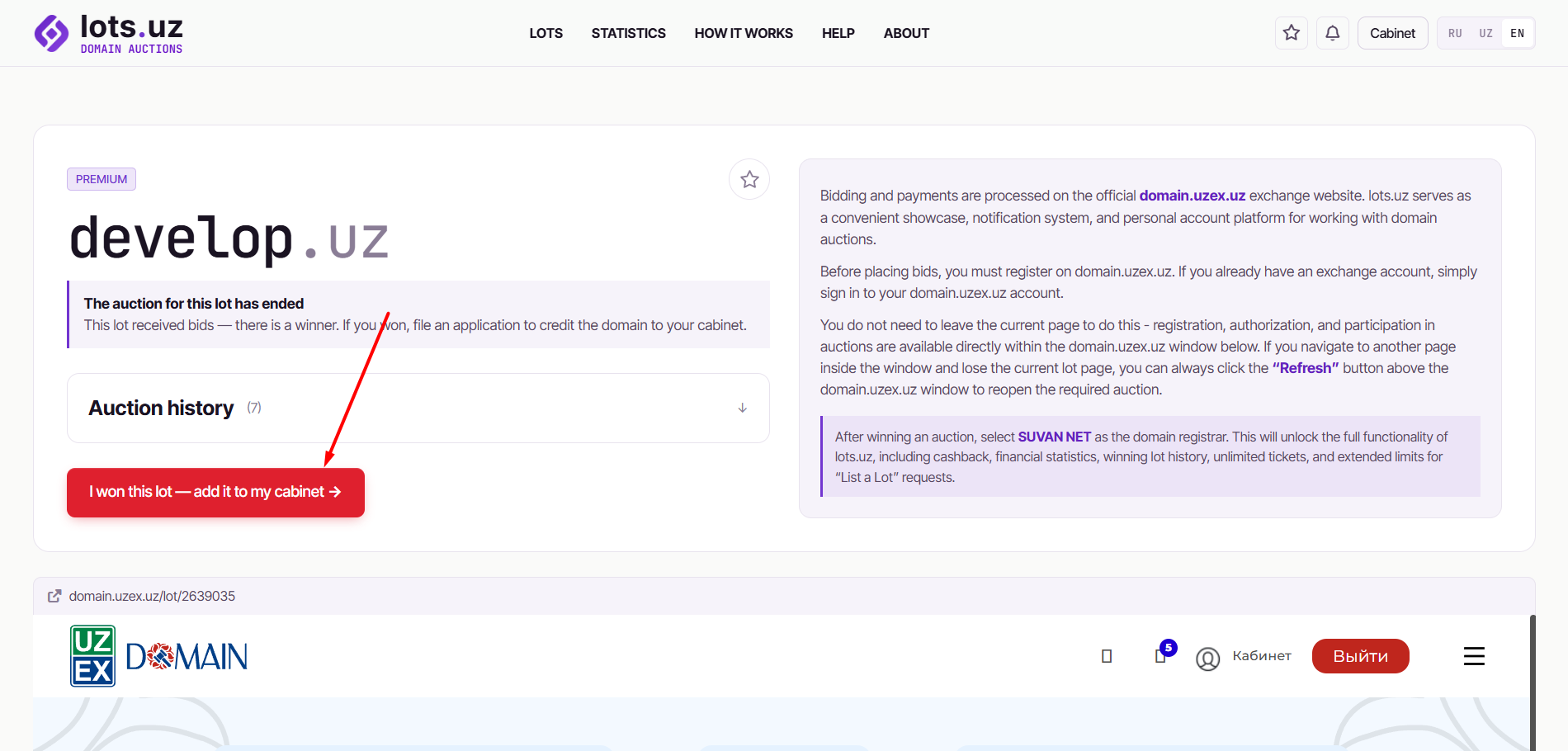
If you navigated to another page while making the payment or signing in, you can return to the current lot by clicking the Refresh button located above the auction window.
After clicking the button, the request creation form will open.
Review the automatically completed fields and select the domain name registrar.
- Request Type — Add Winning Lot.
- Domain — completed automatically.
- Lot ID — completed automatically.
- Registrar — select the domain name registrar.
After verifying the information, click the Submit button.
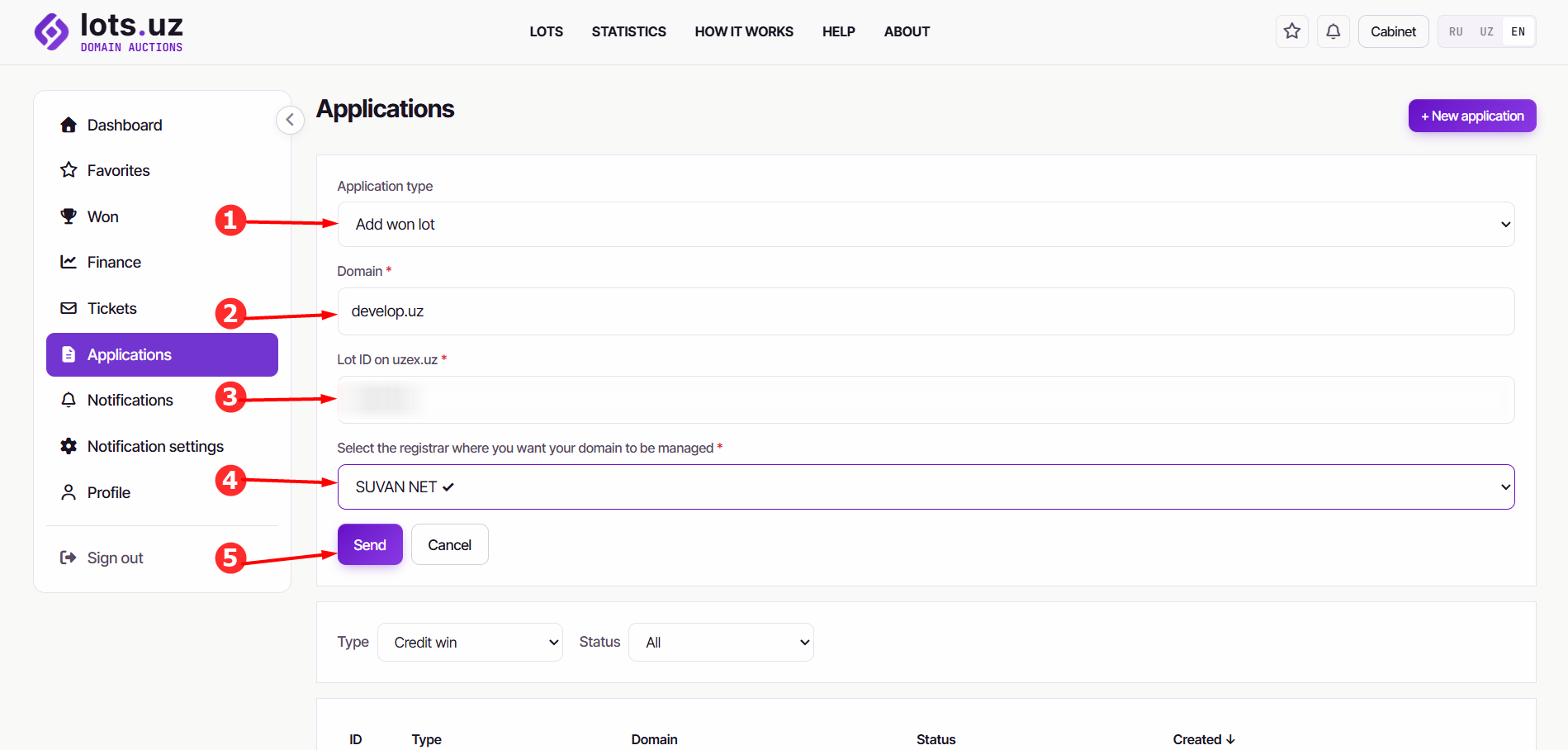
If you select SUVAN NET as the registrar, the domain name may be transferred automatically through the lots.uz system. This requires a personal account and an active contract with SUVAN NET — registration instructions are available here.
If another registrar is selected, you will need to coordinate the domain transfer directly with the selected registrar.
After submitting the request, it will be sent for processing.
You can check its status in the Notifications section of your lots.uz account.
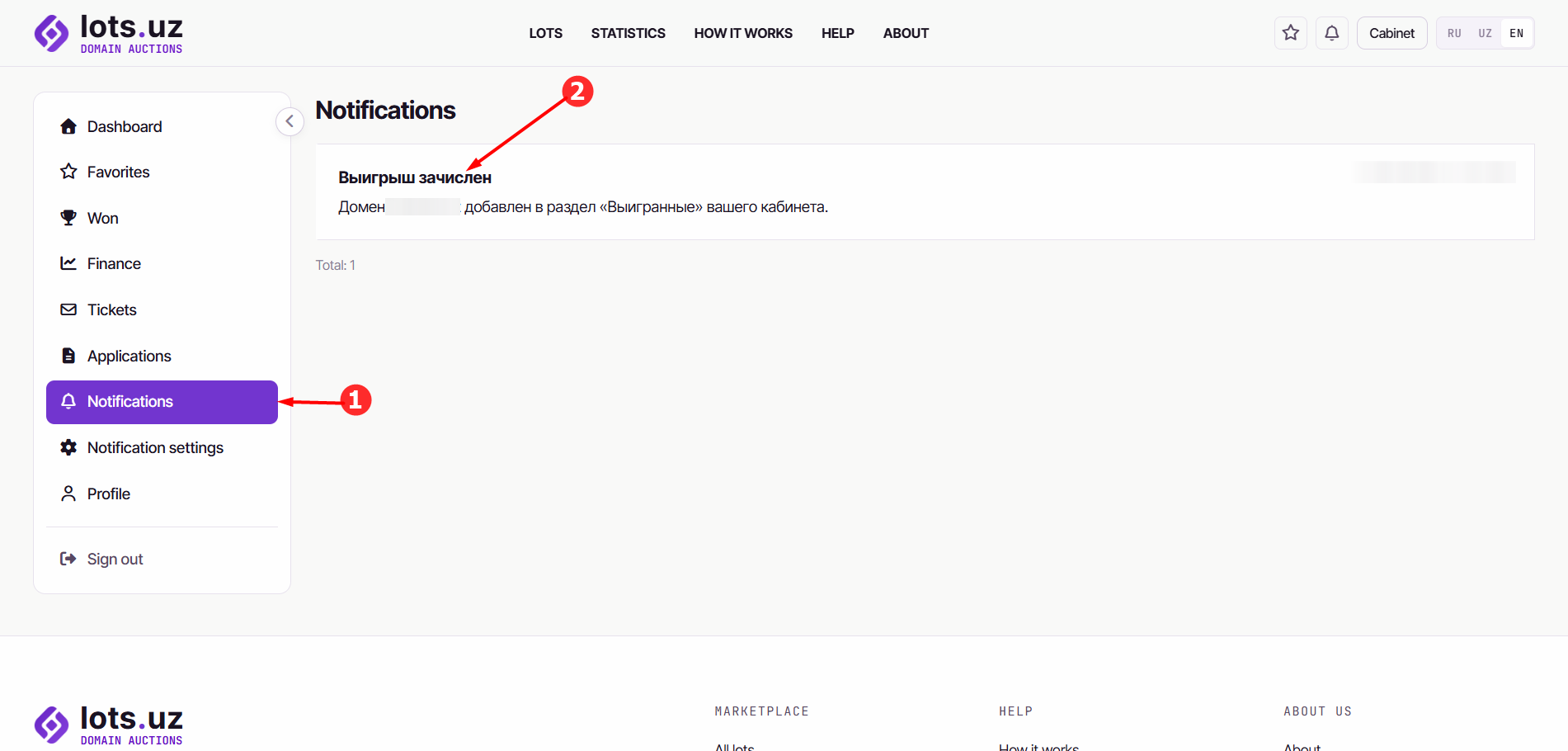
Once the request has been successfully processed, you will receive the following notification:
After receiving this notification, the domain name will appear in the Won Domains section of your account.
The domain name has been successfully added to your account.
You can now open the Won Domains section and proceed to manage the domain.