
Participating in a Domain Name Auction on lots.uz
Before participating in an auction, you must have registered accounts on both lots.uz and domain.uzex.uz.
If you have not created your accounts yet, use the following guides:
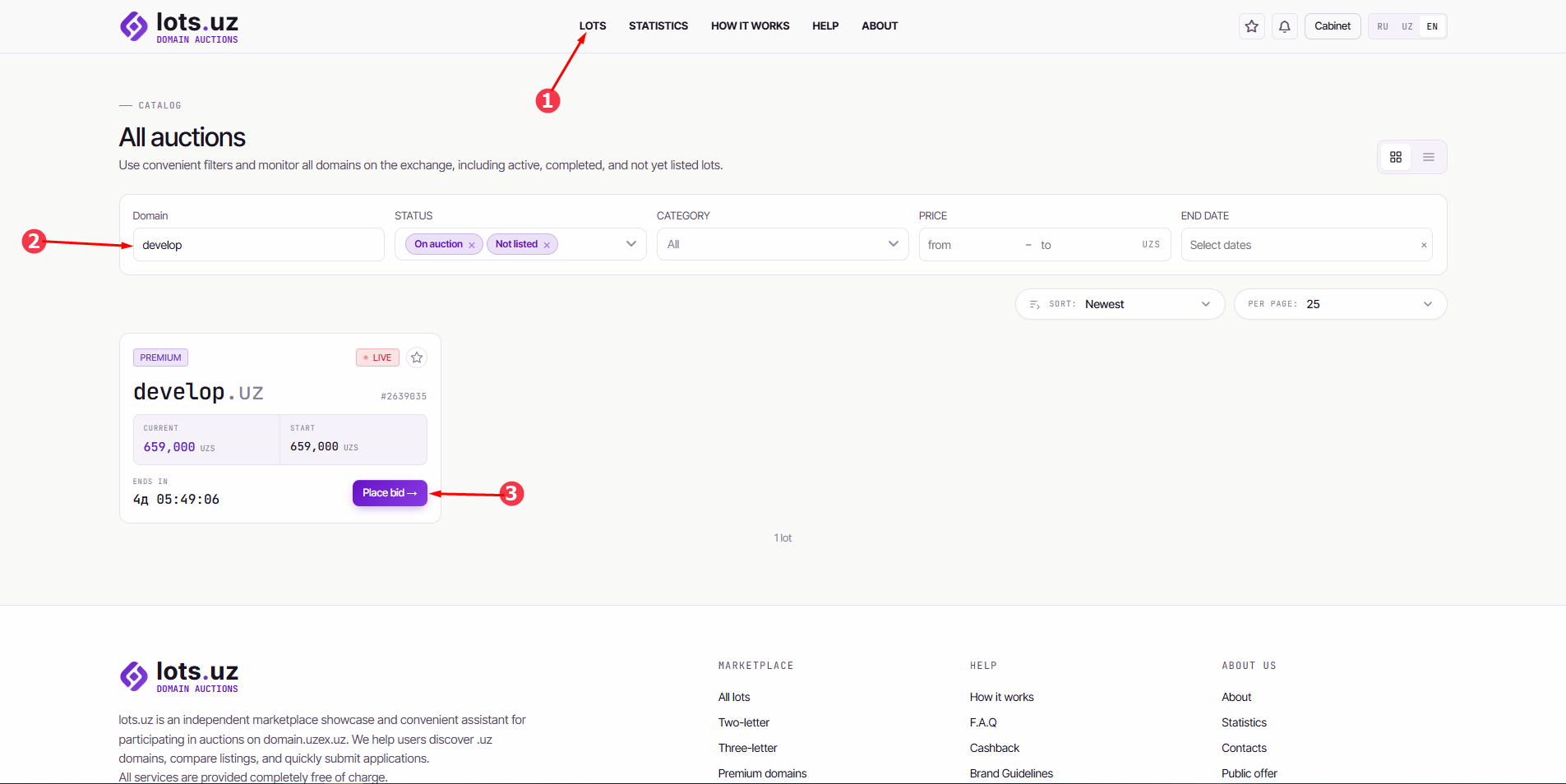
To search for a domain name, open the Lots section.
Enter the full or partial domain name into the search field.
When the required lot appears, click the Place Bid button.
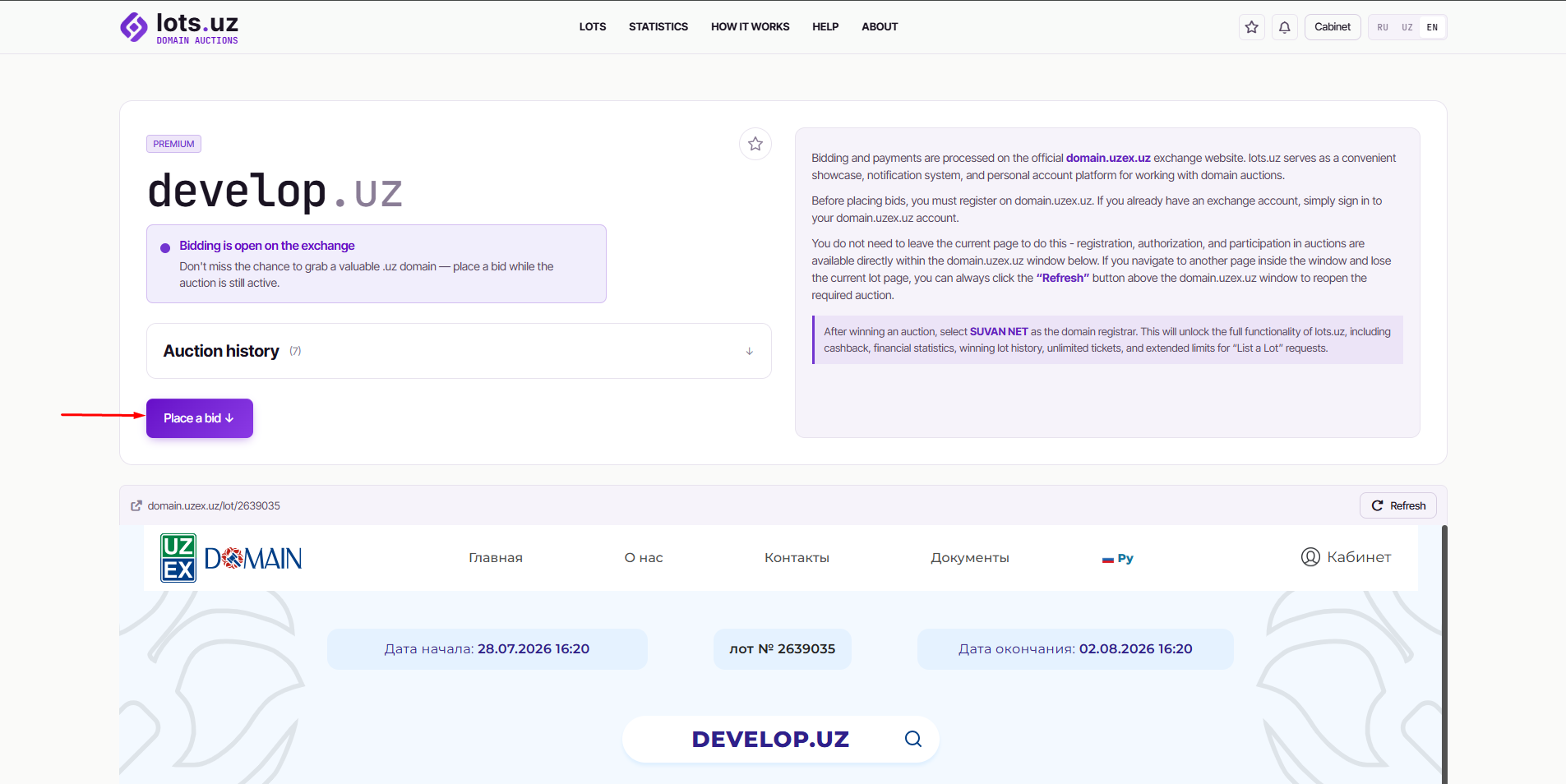
After selecting a lot, its details page will open.
Click the Place Bid button to proceed to the auction.
After clicking the button, the embedded domain.uzex.uz auction page will open, where the auction takes place.
If you already have an account on domain.uzex.uz, simply sign in.
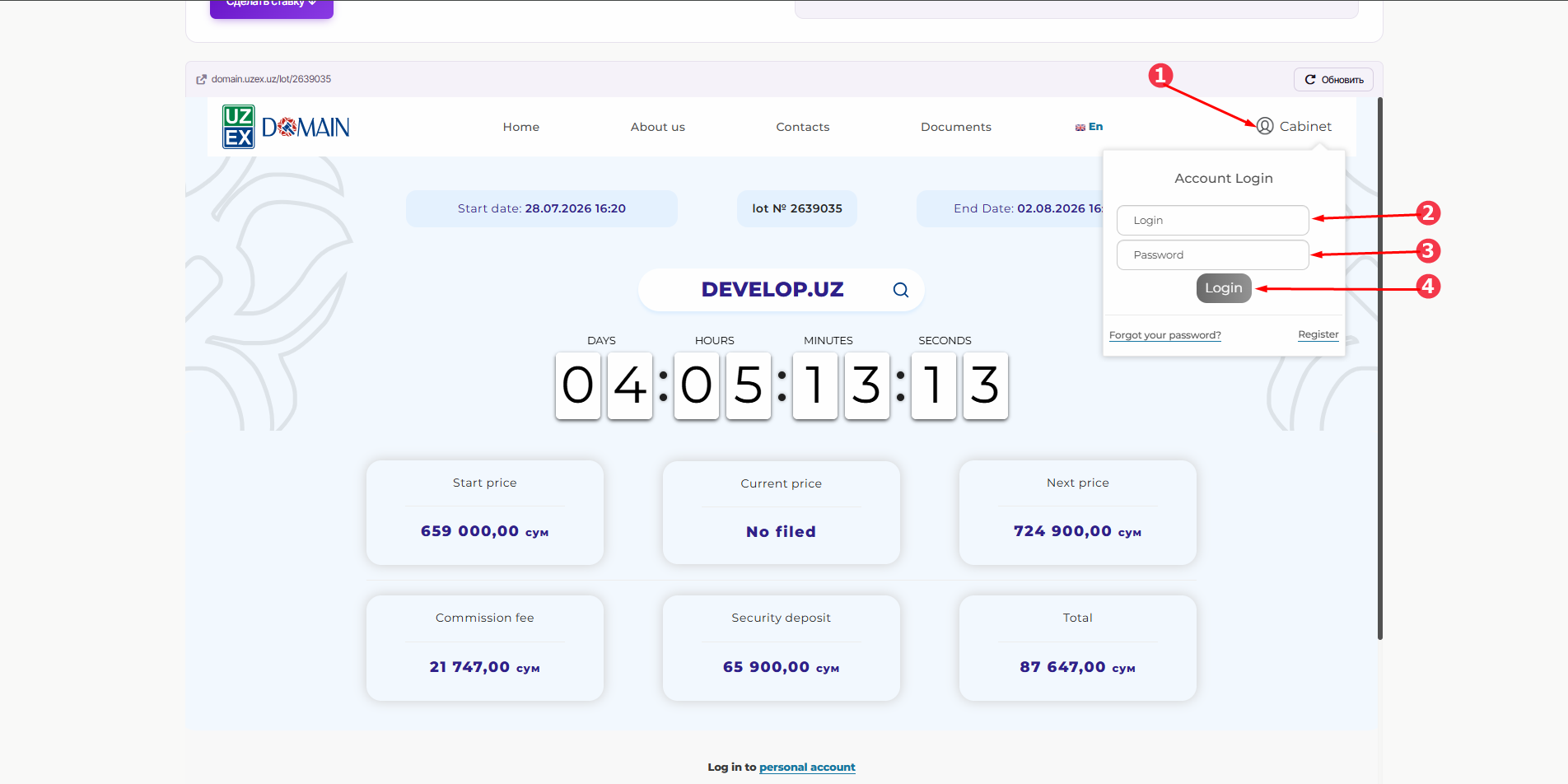
After opening the auction page, sign in to your domain.uzex.uz account.
To do this:
- Click the Account button.
- Enter your username.
- Enter your password.
- Click Sign In.
If you navigate to another page on the domain.uzex.uz website, you do not need to search for the lot again.
To return to the current auction, simply click the Refresh button located in the upper-right corner of the auction page.
After successfully signing in, you will gain access to the auction participation features.
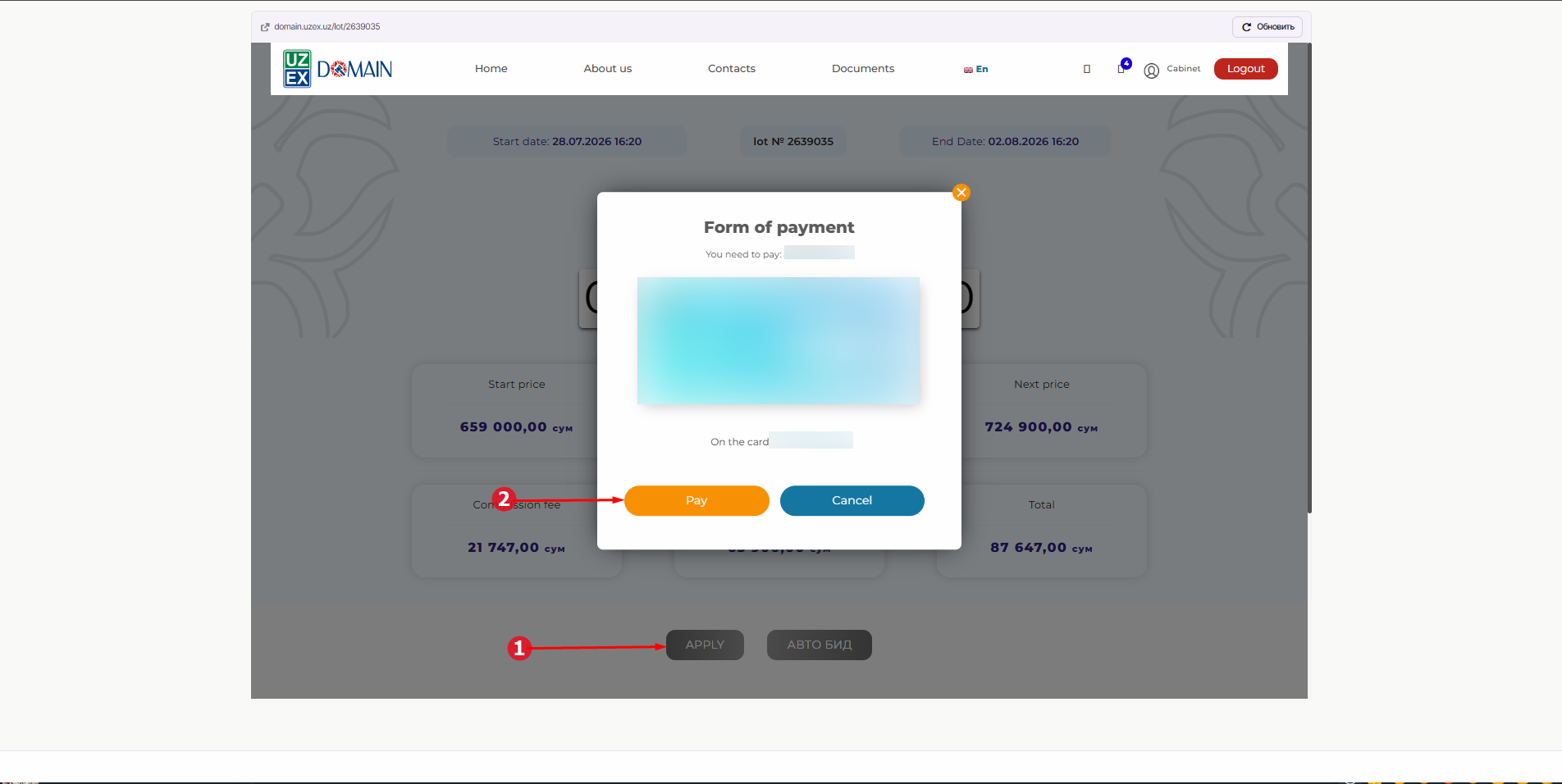
To submit an application:
- Click the Submit Application button.
- In the window that opens, select Pay.
- Pay the required security deposit using one of the available payment methods.
- Once the payment is successful, your application will be activated automatically.
You cannot participate in the auction until the security deposit has been paid. Only after a successful payment will you be able to place bids and use additional auction features.
After your application has been activated, you can participate in the auction in two ways:
- place bids manually;
- use the Auto Bid feature.
To configure automatic bidding:
- Click the Auto Bid button.
- Specify the maximum amount the system is allowed to bid on your behalf.
- Confirm and save the settings.
During the auction, the system will automatically increase your bid by the minimum possible increment until the maximum amount you specified is reached.
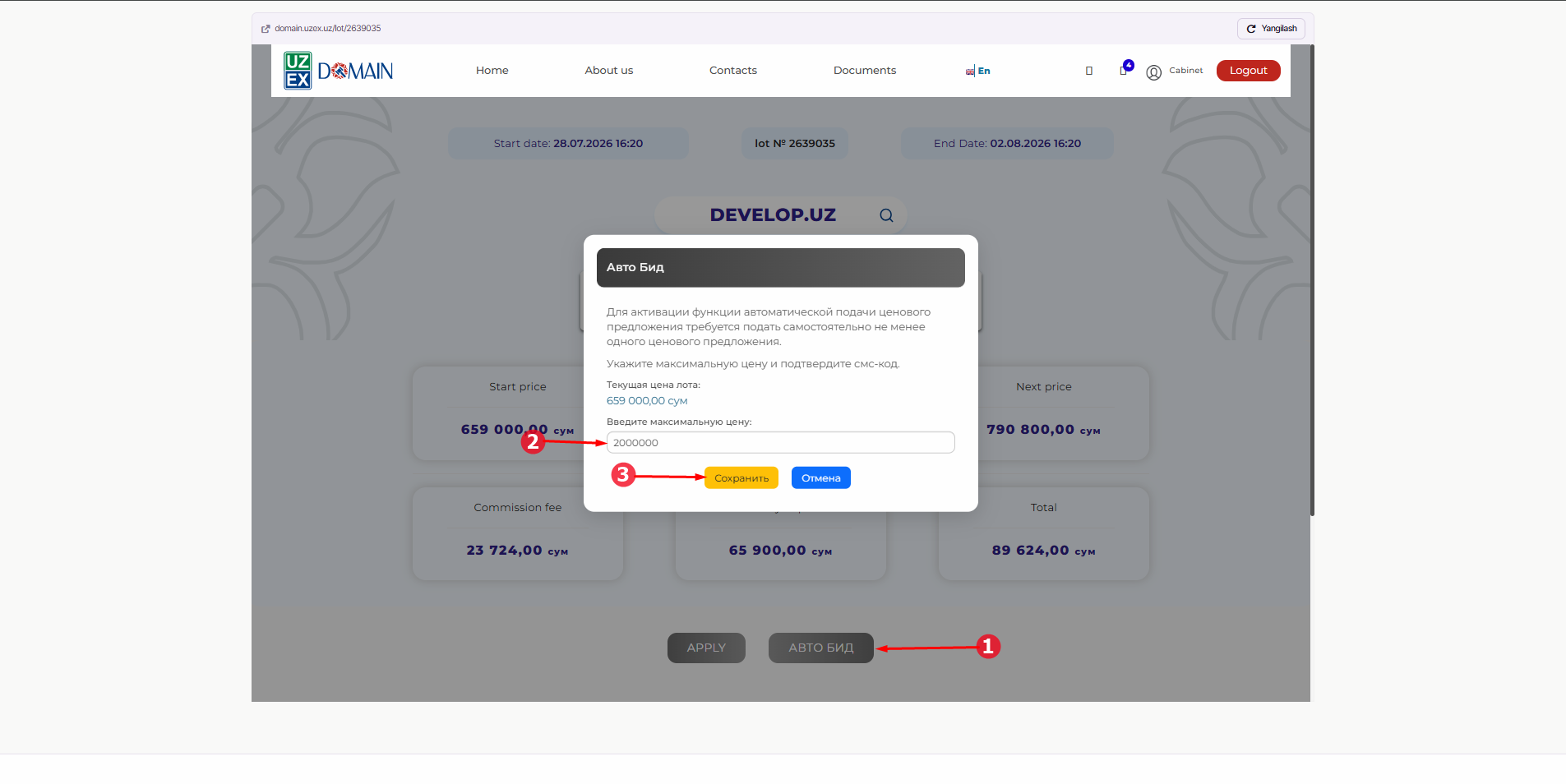
The Auto Bid feature allows you to continue participating in the auction automatically, even if you are not on the website while the auction is in progress.
You now know the complete process of participating in a domain name auction:
- searching for the required domain;
- opening the auction;
- signing in to the auction platform;
- paying the security deposit;
- placing bids;
- using the Auto Bid feature.